
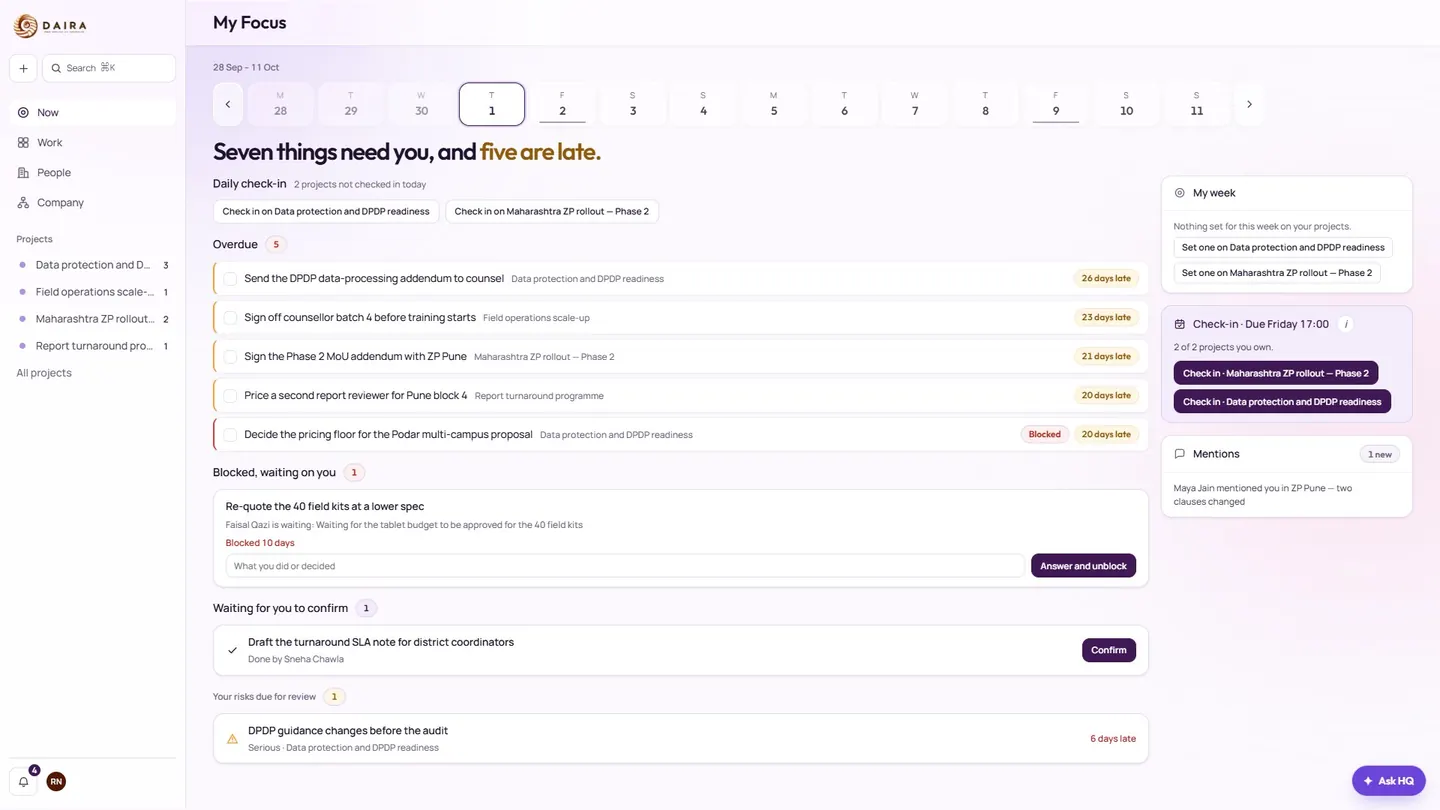
My Focus
The day opens on what needs you now: tasks that are due, work waiting on your answer, decisions to make, and anything stopped on you. Put an item off until tomorrow or clear it, and the bell counts only what is left.
Free Windows desktop app
Daira HQ is the workspace where the Daira EdTech team runs its day. Staff, and the partners they invite, sign in with the account the team gave them.
If you searched for Diara HQ, you are in the right place. The app is named Daira HQ. This page, diara-hq.com, is where you download it.
Daira HQ keeps the day’s work, the projects behind it, and the schools and funders around it in one Windows app. You do not create a public account here. You sign in with the account your team already issued.
Daira’s own people, and the partners they choose to invite. That includes the schools, government partners, and CSR funders the team is already working with.
Each person sees only the projects, people, and records their role allows. A private project stays hidden from everybody who has not been granted it.
From the first screen in the morning to a school visit with no signal, the same app holds the work, the conversation, and the record of what changed.
The day opens on what needs you now: tasks that are due, work waiting on your answer, decisions to make, and anything stopped on you. Put an item off until tomorrow or clear it, and the bell counts only what is left.
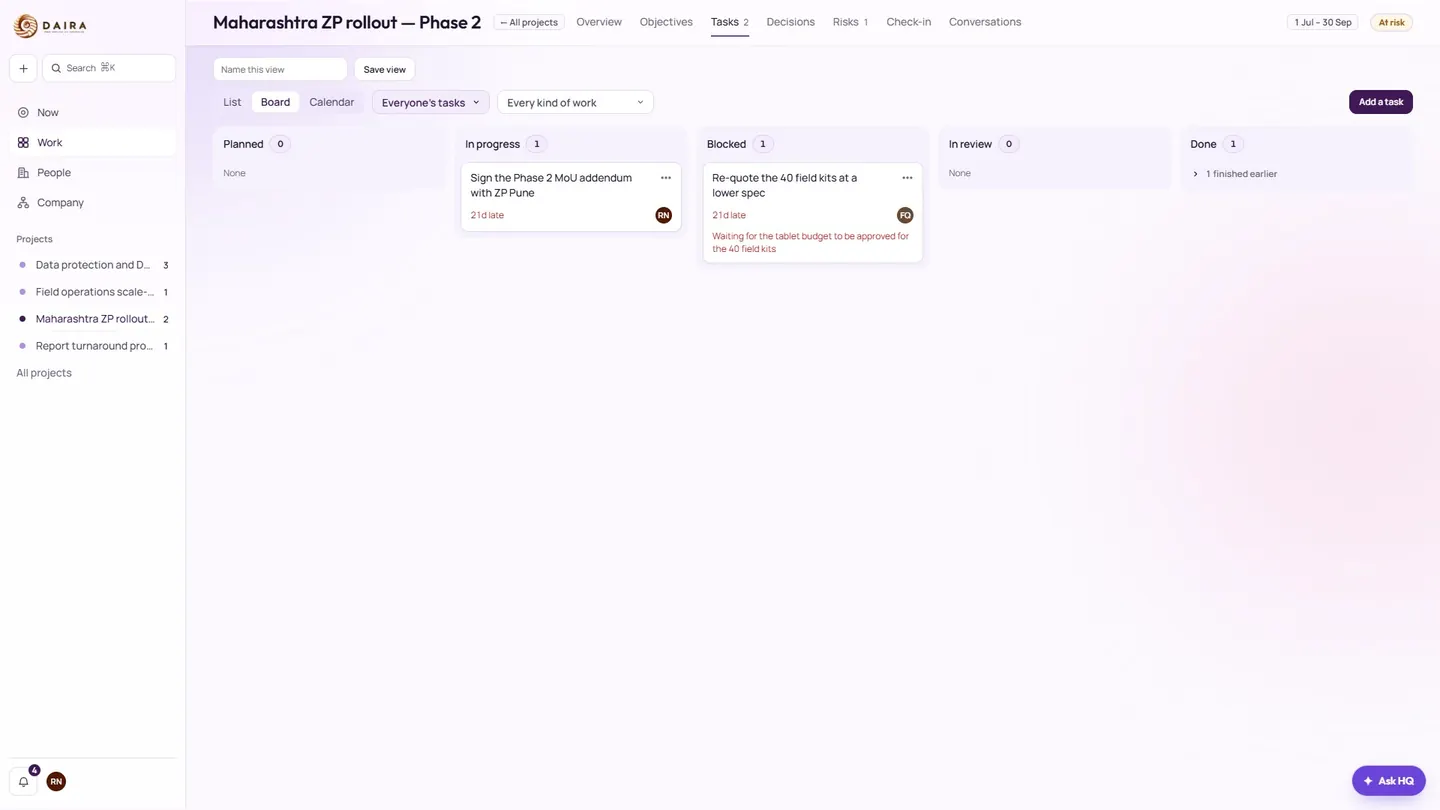
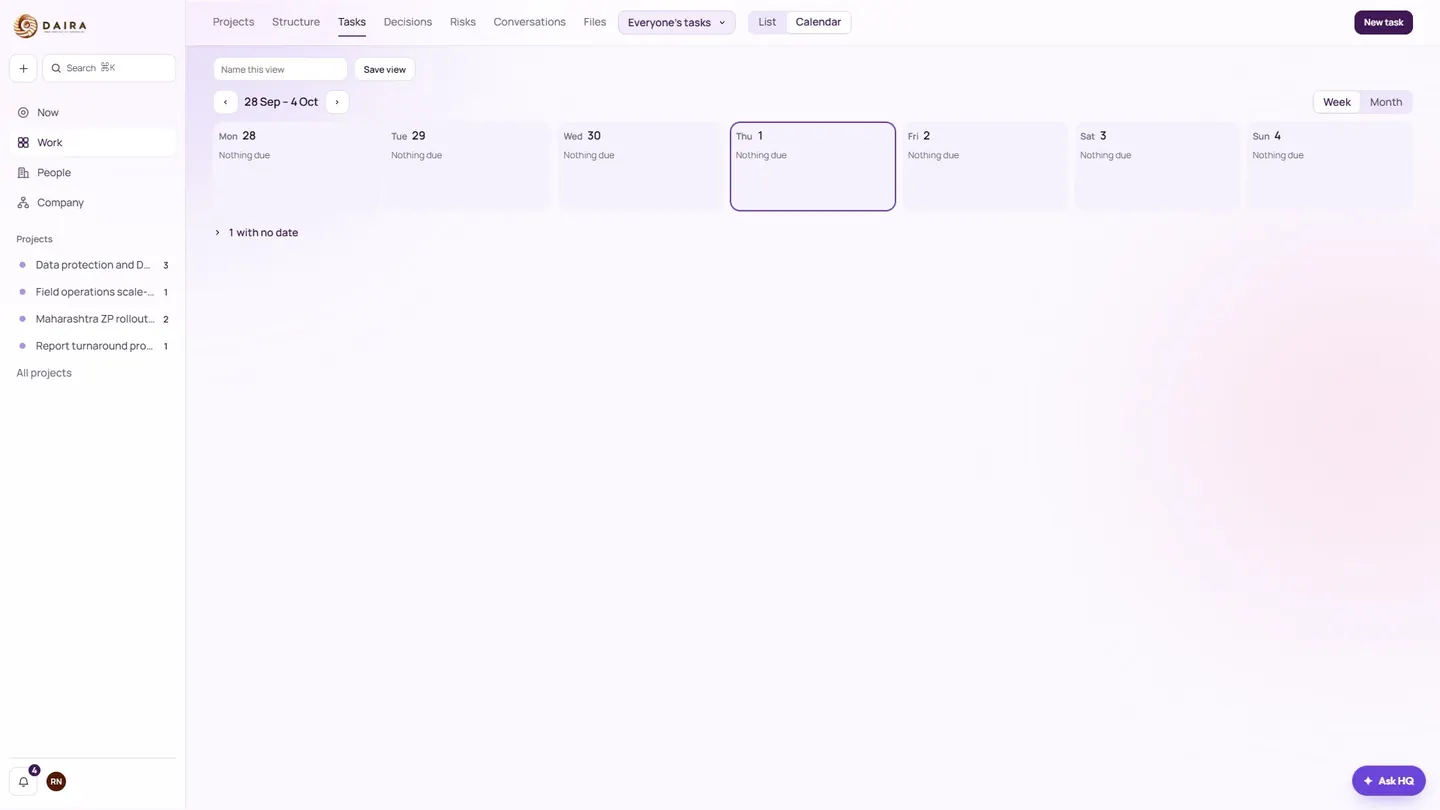
Every project has its milestones. Open tasks as a list, a board, or a calendar, and see a timeline across the quarter. Give work to somebody, set it to repeat every week or month, change many tasks at once, save the views you use each morning, and read every change a task went through.
Tick a task done even with no signal. It is sent when the signal returns. Add a photo as proof of a camp or a school visit. The photo is made small, and its location is stripped, before it is kept.
A room for every project, direct messages, groups of the people you choose, and company-wide Announcements. Reply in threads, react, @mention people, share photos and files, and comment on a task right where the work is.
Ask for a decision and see who owes it. Put risks on a register, with the person who is watching each one.
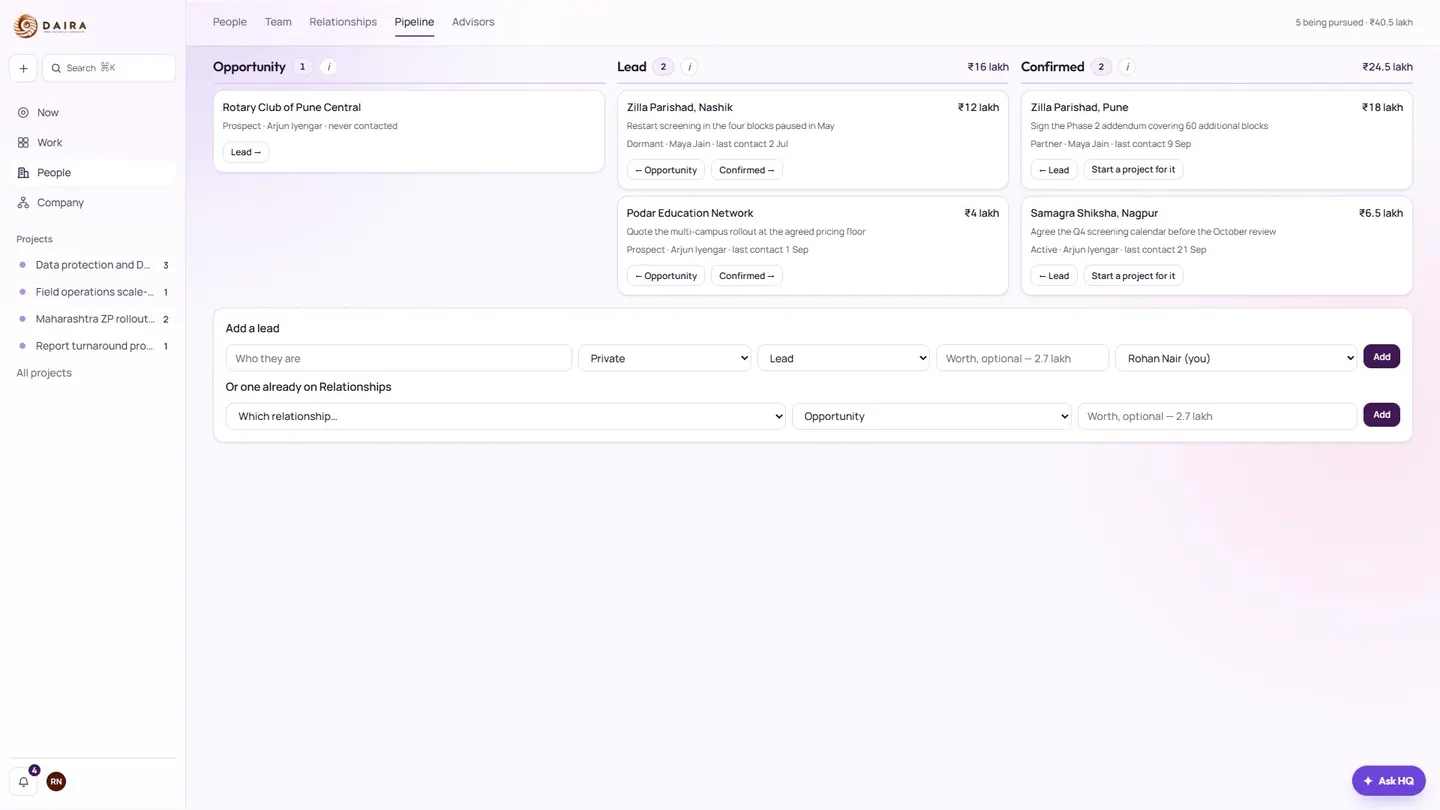
The pipeline of schools, government partners, and CSR funders moves through Opportunity, Lead, and Confirmed. Each one shows what it is worth and what comes next.
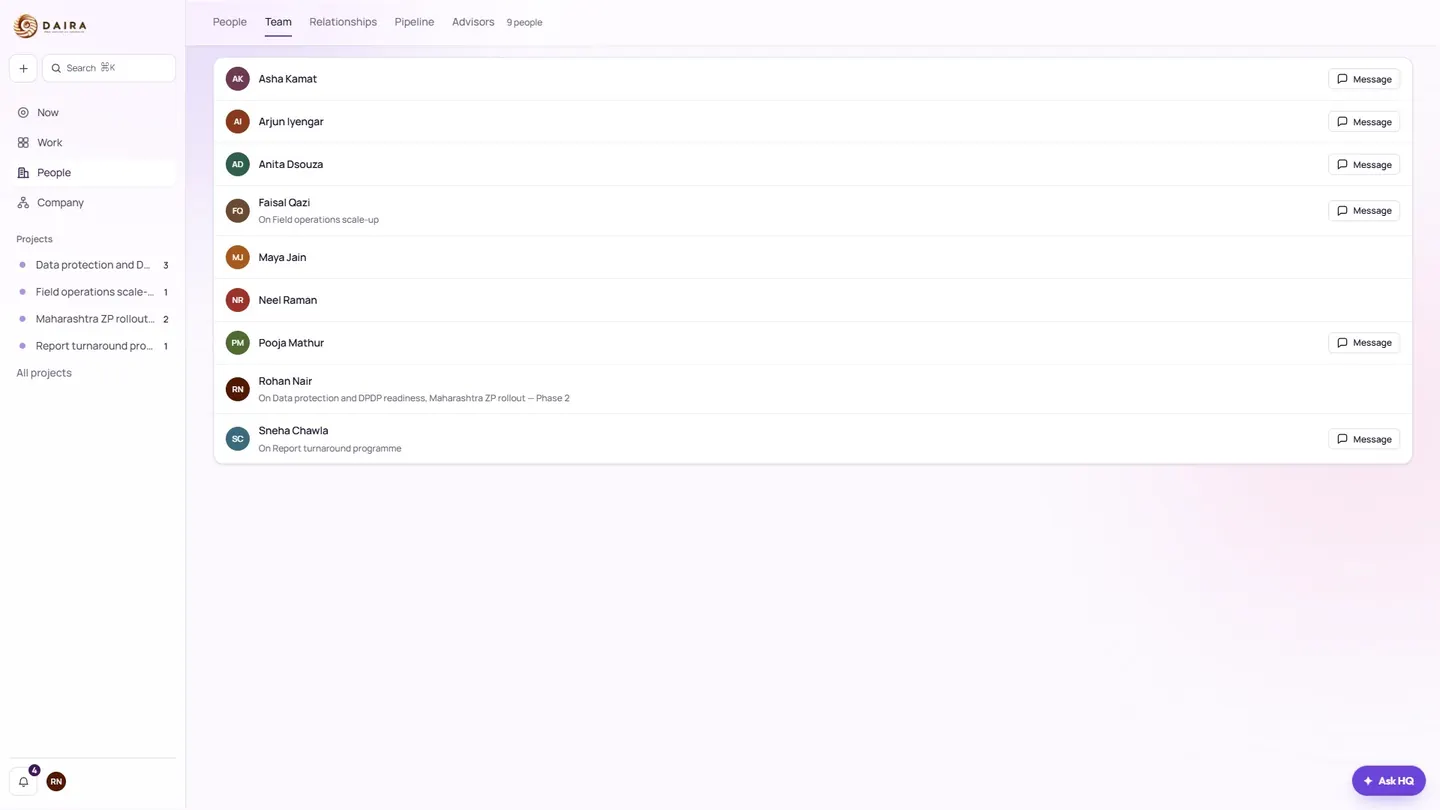
See who is who, what each person holds, and what they are working on. Message them from the same list.
Ask in plain words — what is late, who is on what — and get an answer drawn only from what you are allowed to see.
Pick which things interrupt you, by email or on your device, and keep quiet hours. The bell follows what you have not yet cleared.
Each person sees only the projects, people, and records their role allows. Private projects stay hidden from everybody not granted them.
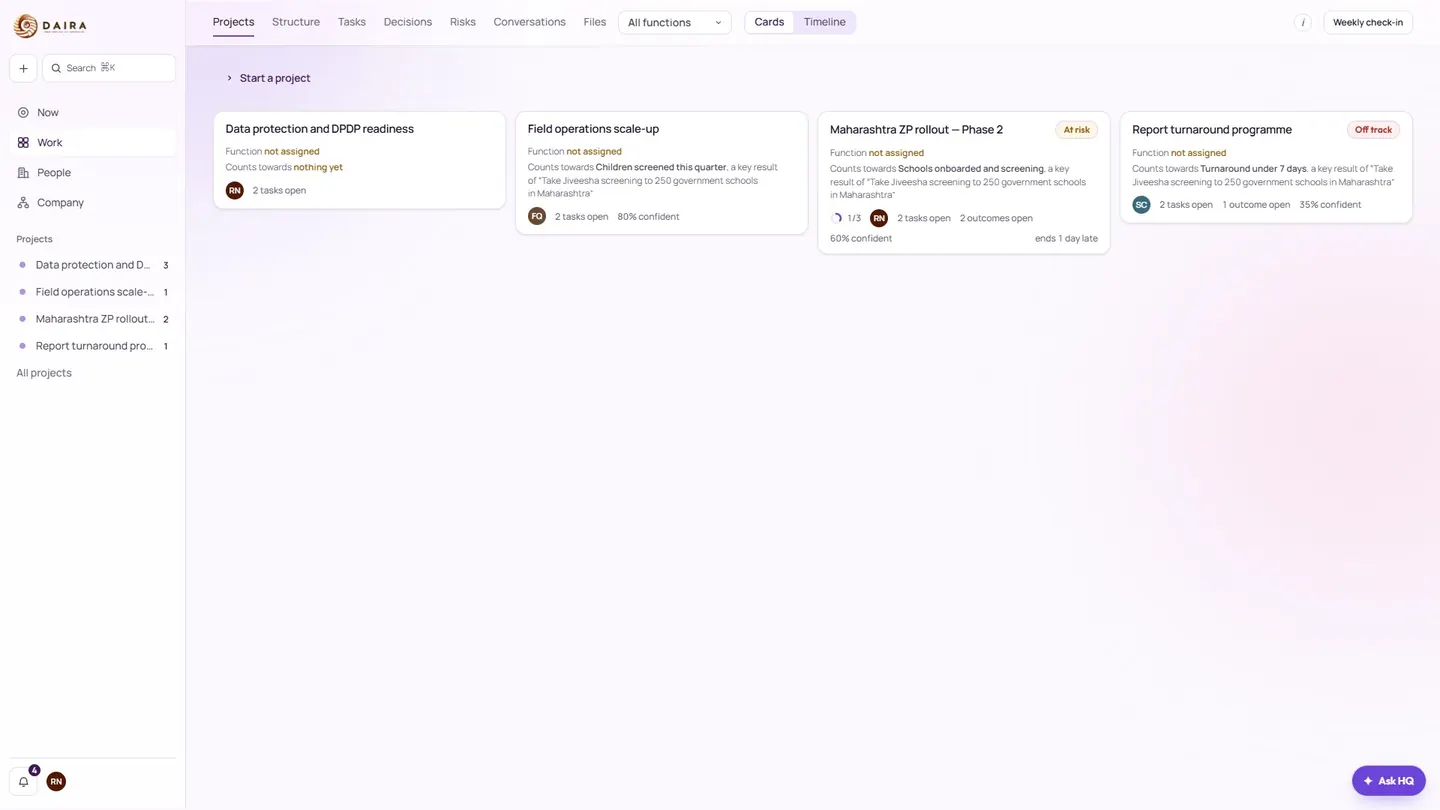
My Focus, a project board and calendar, the quarter’s projects, the partner pipeline, and the team.
The download is the official installer, Daira HQ Installer.exe. Setup takes a moment. Signing in uses the account your team already gave you.
Save Daira HQ Installer.exe (794 KB). It runs on Windows 10 or later.
Open the file and follow the setup. When Windows asks you to confirm, continue if you downloaded it from this page.
Launch Daira HQ and sign in with the account your team gave you. There is no public sign-up on this page.
Yes. The Windows installer on this page is free. You sign in with an account your team gives you. Daira HQ is for Daira EdTech people and the partners they invite.
Yes. The app is named Daira HQ. Diara HQ is the name of this download page at diara-hq.com.
Windows 10 or later. The installer is Daira HQ Installer.exe, about 794 KB.
Yes. You can mark a task done offline. Daira HQ sends that update when the signal returns. A photo added as proof of a camp or school visit is made small, and its location is removed, before it is kept.
Access follows your role. You see the projects, people, and records your role allows. A private project stays hidden from anyone who has not been granted it.